What Is Eaglercraft?
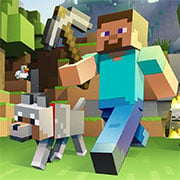
It is based on Minecraft 1.8 with a browser version that lets you play the irresistible block-building adventure without any downloaded files, nor any installations. It has faithfully replicated the sandbox experience of yore: from exploring the vast worlds, crafting tools, fighting monsters, or just chilling with your friends.
With TeaVM and an OpenGL emulator in support, Eaglercraft translates Java-based Minecraft with a heavier gloss from the desktop to a smoother, browser-intended interface. Whether this is your trip down memory lane or the first instance of you coming across Minecraft, this particular edition keeps the spark alive with zero setup!
How to Play
- Access the Game: Open Eaglercraft on a compatible browser (Chrome or Firefox would be best).
- Choose Your Mode: Play alone in Singleplayer or coordinate on Multiplayer servers (check server lists for addresses).
- Controls:
- WASD for movement, Space for jump, Left-Click to break blocks, Right-Click to place blocks/interact.
- E to open inventory.
- Survival Basics: Gather resources (wood, stone), craft tools, build a shelter before nightfall, and fight-off the creepers and zombies.
- Creative Freedom: Change to Creative Mode for an infinite number of blocks and flight to build anything imaginable.
Tips & Tricks
- First Night Priority: Punch trees for wood → crafting table → wooden tools → shelter.
- Multiplayer Etiquette: Do not destroy other's work, and adhere to the server regulations (these are almost always specified on public servers).
- Keyboard Shortcuts: hit F5 to toggle perspective, and press F3 for debug info (coordinates really help with navigation).
- Nether Prep: Bring Flint & Steel (for lighting portals) and armor before heading into The Nether.
History
Eaglercraft, which originated as a passion, had been ported by lax1dude by using TeaVM in transforming Java into JavaScript, resulting in Minecraft 1.8 that could be played within JavaScript-enabling browsers. This version retains the pre-1.9 combat mechanics and simpler mechanics cherished by fans for a long time. While this is unofficial, it's a testament to the community's love of Minecraft's roots.
Play Unblocked
Eaglercraft was developed to bypass restrictions in schools or workplaces; it runs entirely in-browser. Another way is to visit alternative mirrors, often passed around among fans, or check GitHub for updates if the main site is blocked.
Note: Eaglercraft is a fan project. Support official Minecraft for the latest features!
Play Eaglercraft (Minecraft Online) on your Mobile

Span the QR Code with your mobile device camera to play Eaglercraft (Minecraft Online)
You can enjoy this game on mobile and tablet(such as iPhone, IPad, and Android device)
 𝐋𝐢𝐟𝐞 𝐒𝐢𝐦𝐮𝐥𝐚𝐭𝐨𝐫