Informative Paragraph About Ambulance Simulator
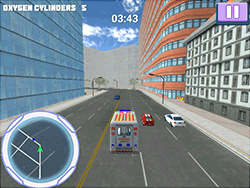
Ambulance Simulator provides an exceptionally immersive and realistic environment, allowing you to believably see the sun set and rise over a busy city while simultaneously saving lives at a moment's notice. This is not your average driving game; it allows you to encounter some of those thrills-seemingly huge stakes-and adrenaline pumping moments that emergency responders deal with in their line of work. Driving, emergency response, and life-saving mix usability and storyline into a simulation experience compatible with any serious simulation game lover and would-be hero.
Game Instructions
Making it in Ambulance Simulator is easy, but you do have to be alert at high levels and think quickly. Here is a brief explanation:
- Drive: Use arrow keys or WASD keys to drive the ambulance. Speed is of utmost importance in responding to emergencies, but respect the road legislation.
- Brake: Slam the brakes hard to avert collisions. Tight street spots are unforgiving and require braking with great precision.
- Change Camera: Toggle between camera angles using the designate key to maximize your view of the road and surroundings.
- Pause Menu: Use this to pause the game and access settings or any other related menus, such as buying upgrades. Good for managing purchases or switching difficulties during the gameplay.
Directives
Here are a few simple tips to becoming a top-level rescuer at Ambulance Simulator:
- Remain Calm: It is uncommon for confusion to be present at an emergency; maintaining a cool head will actually help with decision-making.
- Plan Your Route: Use the map to decide on the quickest way to the emergency. Avoid situations that could cause you to get stuck in traffic-a few precious minutes could make a big difference.
- Upgrade Your Ambulance: Working toward your higher-end vehicles by purchasing newer and better ambulances is beneficial. Top-tier vehicles have faster speed and superior handling.
- Be Precise: Precision is the name of the game while maneuvering in tight spaces. Improve your driving skills so you never get stuck with that ambulance.
History
From the lineup of simulation games today, it is targeting giving hard-core, real-life incarnations practically. The developers have put quite a lot of effort into creating the simulated environment capturing what it means to be an emergency responder. While the game is fictional, it draws inspiration straight from life emergency services to grant players a glimpse of the nerve-wracking yet satisfying working world of rescue operations.
Play Unblocked
The game might be blocked at schools or offices. The following methods will, however, provide for unblocked play:
- Use a : While a virtual private network can do so by routing your Internet traffic through a server in a different location, it allows one to bypass restrictions.
- Browser Extensions: Certain browser extensions will aid in unblocking games when it comes to fighting content filters.
- Ask Permission: If you are at school, maybe you could ask the IT department for a whitelist.
Game Developer
Ambulance Simulator was created by a team of dedicated game developers who specialize in simulation games. It's clear from the attention to detail and immersive gameplay that the team behind Ambulance Simulator has a strong background in creating realistic and engaging experiences.
Game Platforms
Ambulance Simulator was published on a wide range of platforms, and consequently, it offers access to a wide range of players:
- PC: The game is available for Windows and macOS machines.
- Mobile: For on-the-go playing, it is also available for iOS and Android devices.
- Console: The title has also been released for PlayStation and Xbox, giving players a console experience.
How to Play Unblocked
If you still find it hard to play Ambulance Simulator, you can always try the following:
- Switch Networks: If possible, connect to another Wi-Fi network free from restrictions.
- Download the Game: Some games provide a download version that you can play offline, thus circumventing restrictions imposed online.
- Update Your Game: Make sure your game and device are the latest versions, as those updates may be the solution to compatibility problems.
Try out these methods, and by now, the interruptions will be gone, letting you enjoy a very smooth period of Ambulance Simulator gameplay!
Play Ambulance Simulator on your Mobile

Span the QR Code with your mobile device camera to play Ambulance Simulator
You can enjoy this game on mobile and tablet(such as iPhone, IPad, and Android device)
 𝐋𝐢𝐟𝐞 𝐒𝐢𝐦𝐮𝐥𝐚𝐭𝐨𝐫